In Humble, we allow you to use the cash drawer, even if you don't necessarily want to print receipts. Please note that you still need to have a cash drawer connected to a receipt printer for this to work.
Go to Settings and tick Automatically Open Cash Drawer.
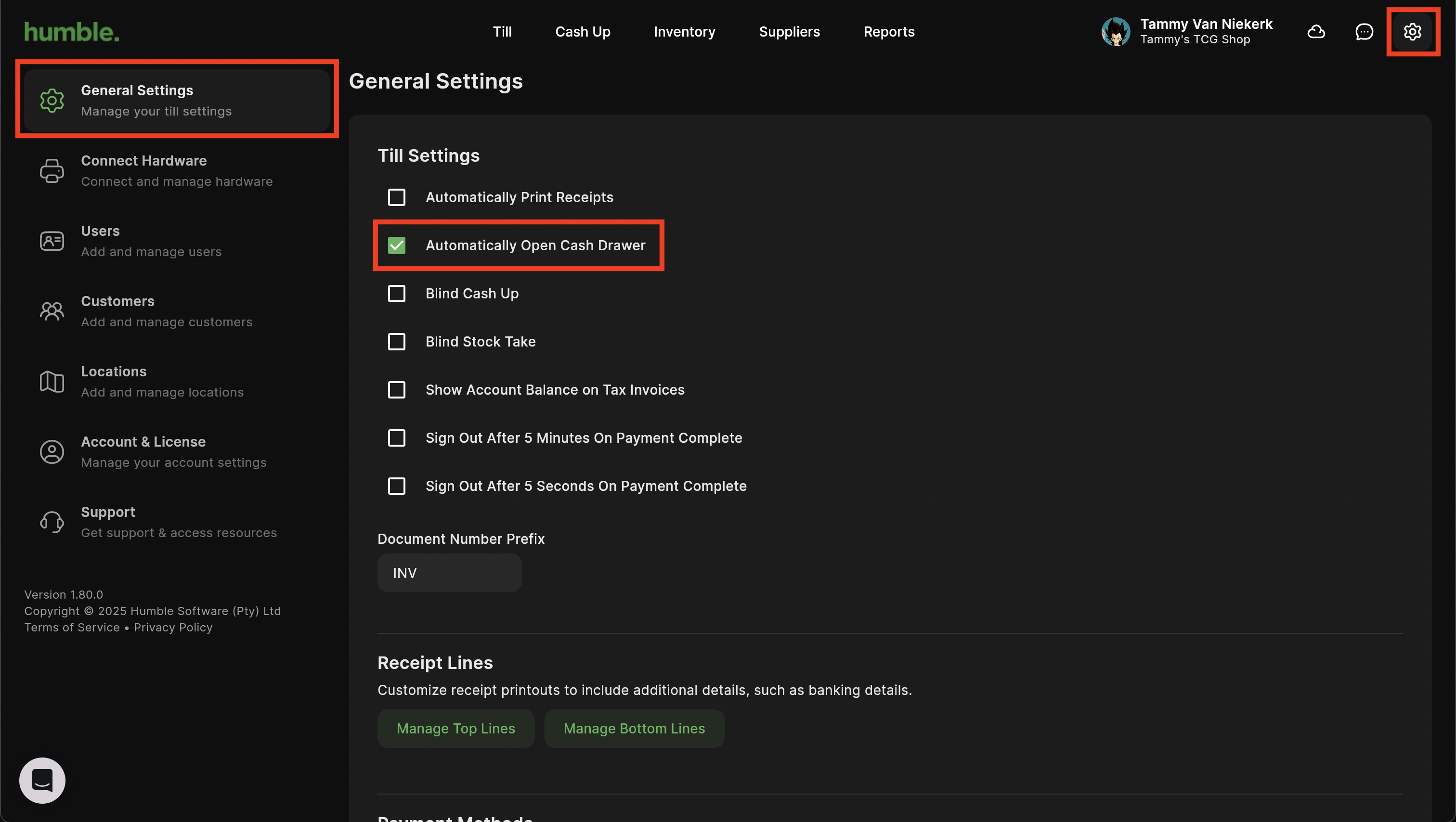
Once ticked, when you complete a Cash sale, the cash drawer will open automatically.
Was this article helpful?
That’s Great!
Thank you for your feedback
Sorry! We couldn't be helpful
Thank you for your feedback
Feedback sent
We appreciate your effort and will try to fix the article