If you’re unsure of something and require assistance, we have a Support section that will assist you.
Click on Settings (the cog on the top right next to your name). You will be taken to the General Page. Click on Support on the left-hand side.
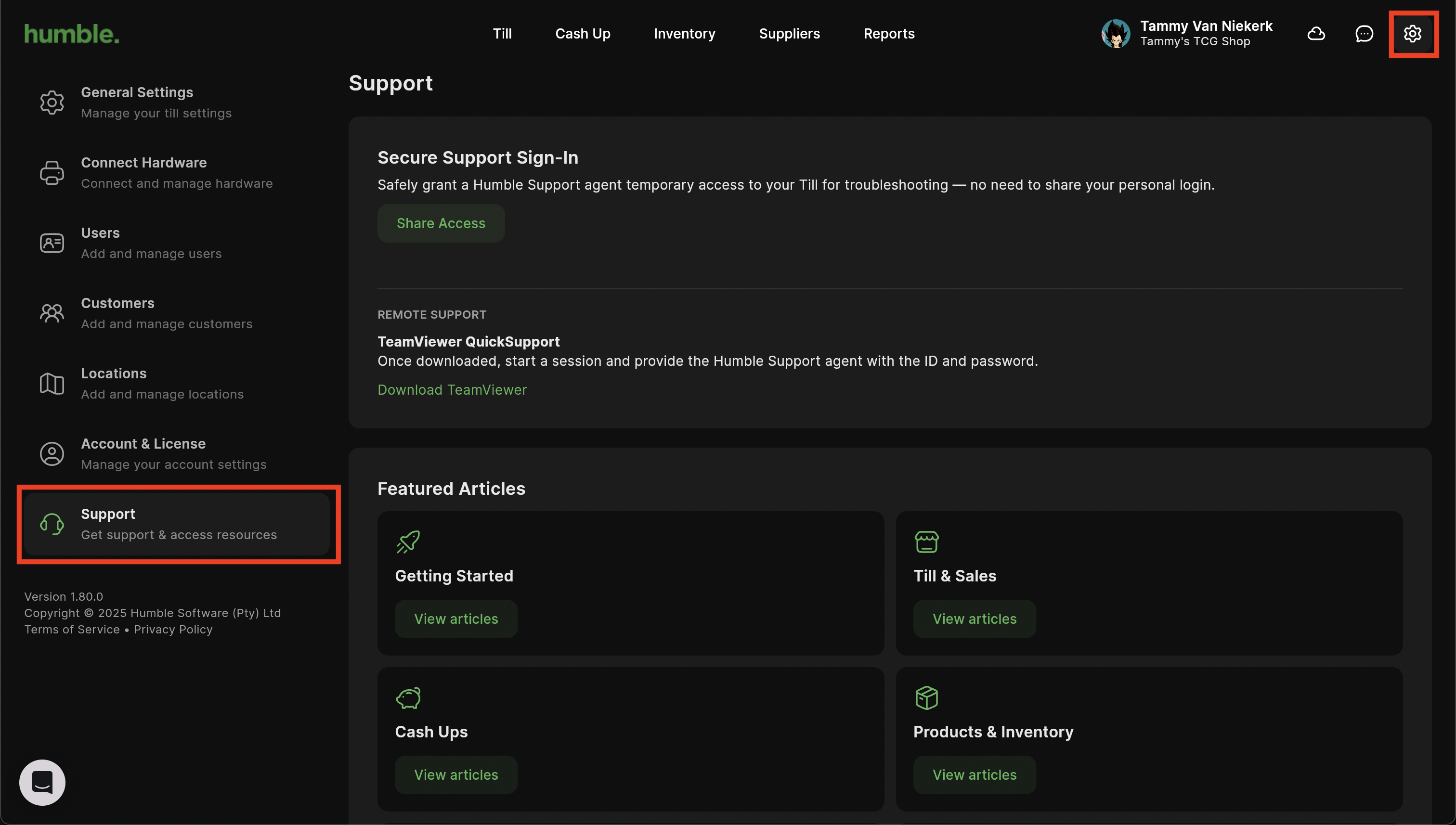
- Secure Support Sign-In - Clicking Share Access will send an email to our support agents with login details. This email gives us consent to log in to your till on your behalf to assist with any queries or uncertainties.
- TeamViewer QuickSupport - This link will take you to Teamviewer’s download page where you can download Teamviewer for your Windows and Mac machine. You can then share the details with a support agent for them to log on to your device remotely and assist.
- Featured Articles - Support articles that will assist you with getting your till up and running quickly and efficiently.
Download Links:
Was this article helpful?
That’s Great!
Thank you for your feedback
Sorry! We couldn't be helpful
Thank you for your feedback
Feedback sent
We appreciate your effort and will try to fix the article