If you find you have a category that you wish to permanently remove from your system, you can delete it.
To do this, click on Inventory in the top navigation bar, then click on Categories.
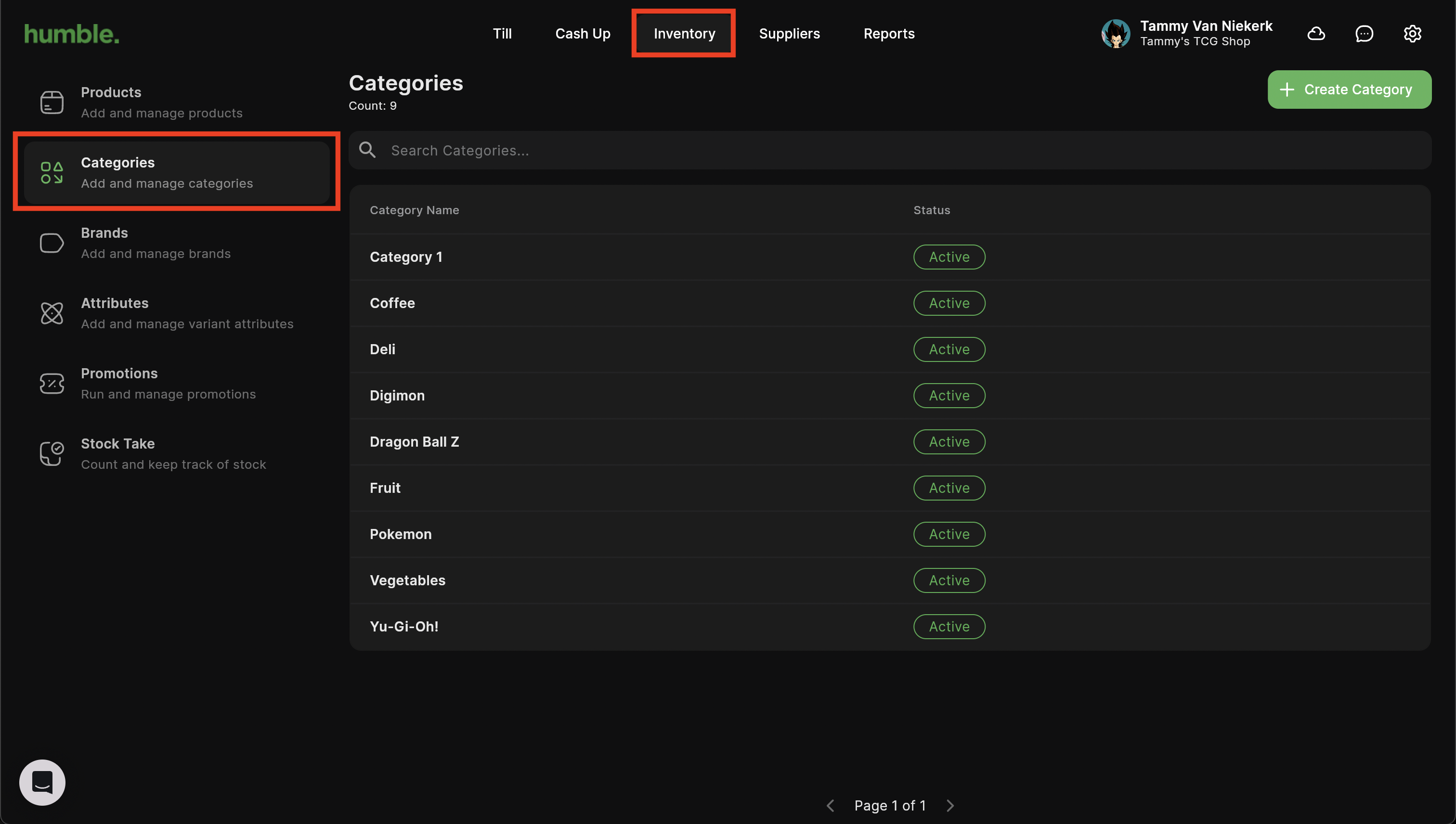
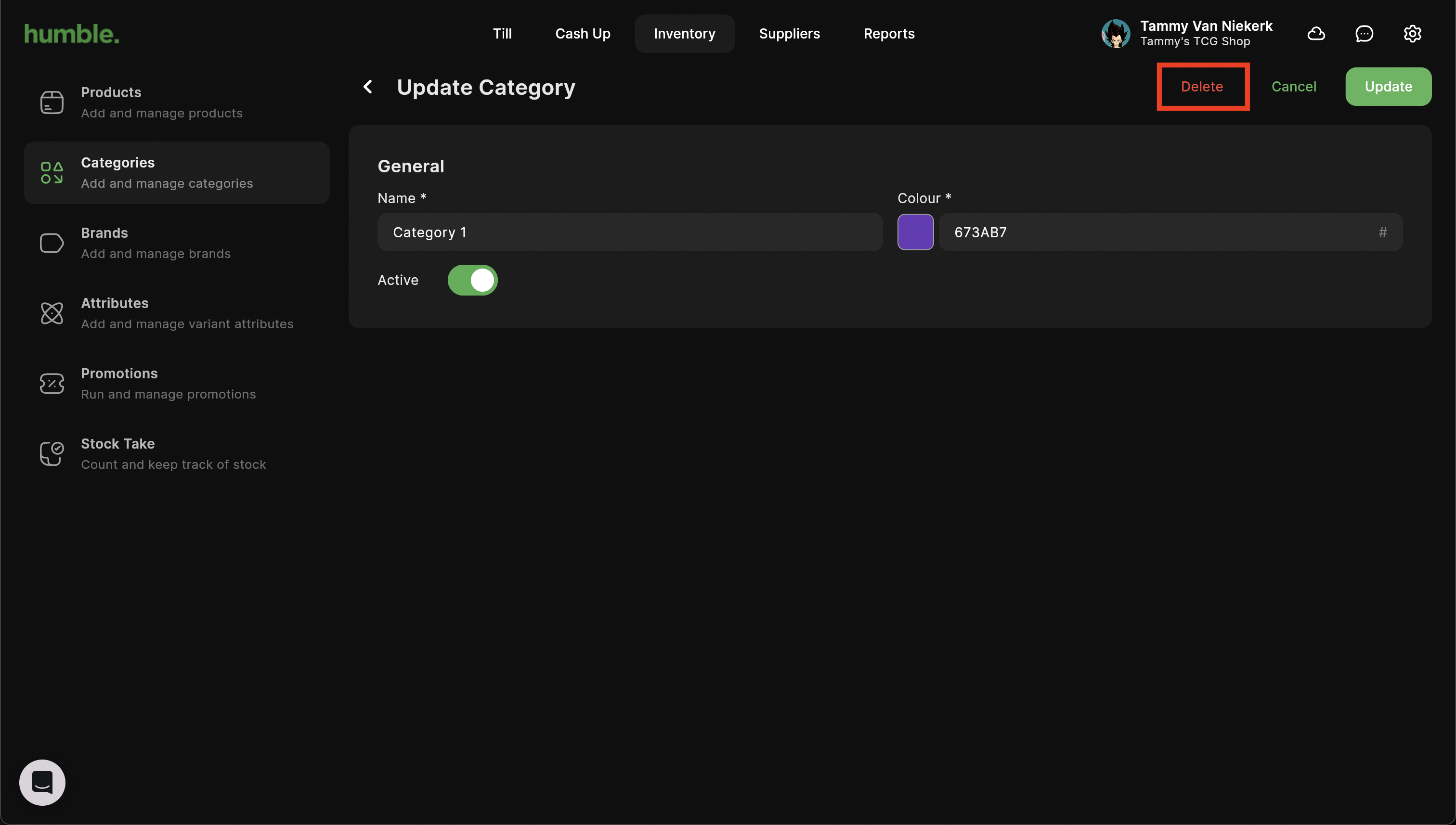
Select the category you wish to delete. In the Update Category screen click on the Delete button.
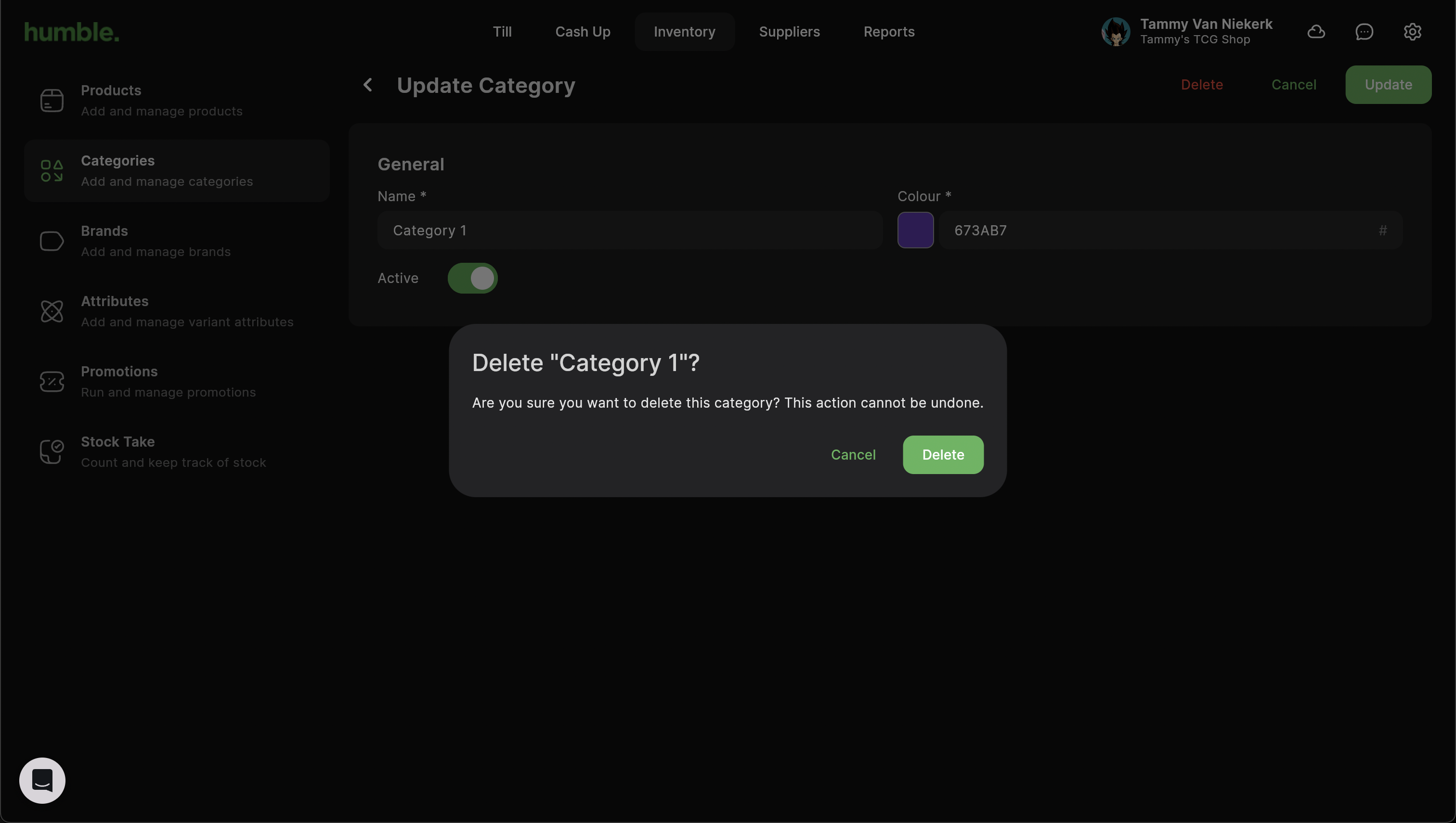
A Delete confirmation modal will appear. To continue with deleting the product, click Delete.
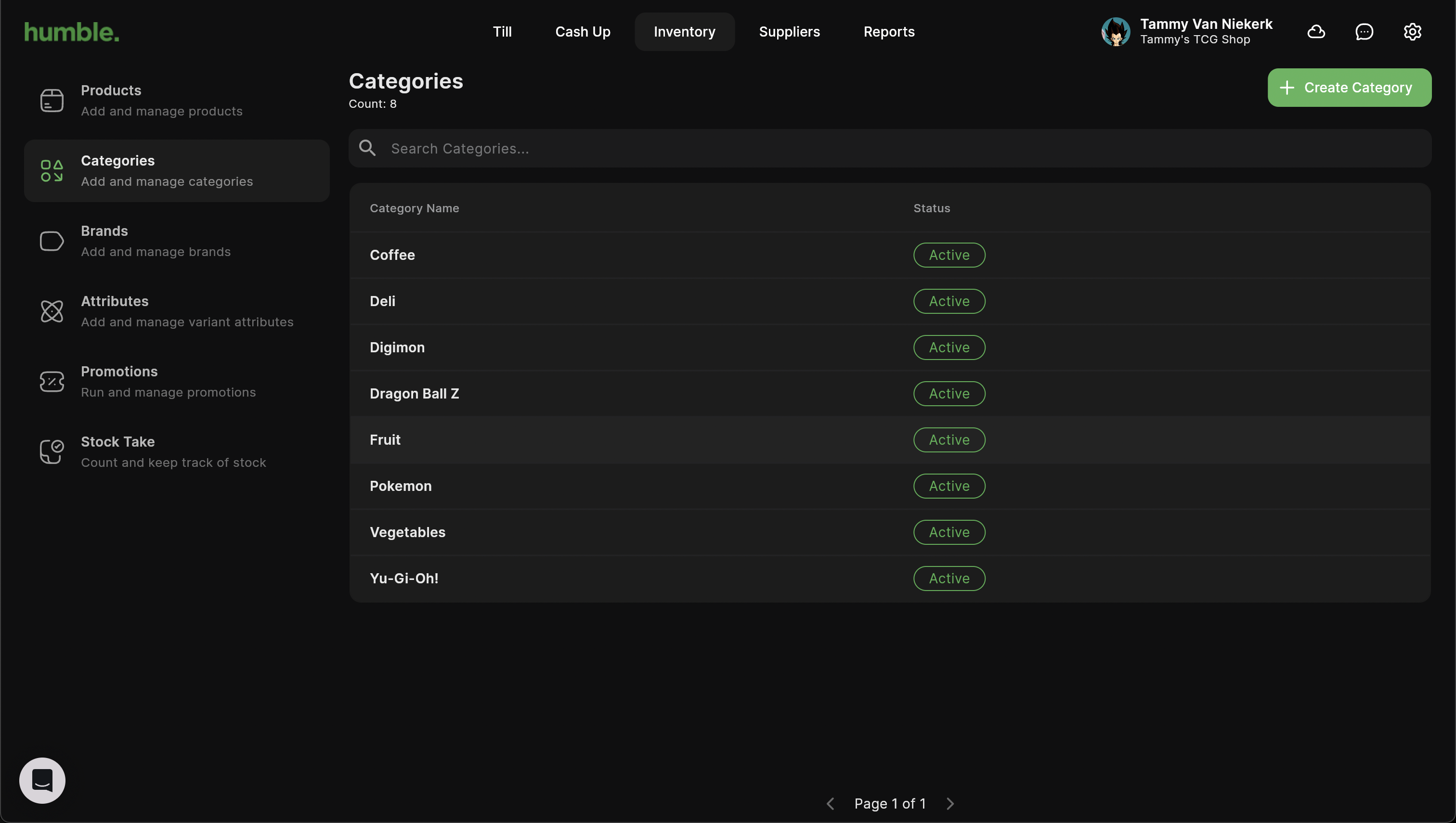
If you incorrectly delete a category, you will have to create a new one from scratch
The deleted category will not show in your Categories list at all.
Was this article helpful?
That’s Great!
Thank you for your feedback
Sorry! We couldn't be helpful
Thank you for your feedback
Feedback sent
We appreciate your effort and will try to fix the article