There may come a time when you would like to offer a discount to a customer. Adumo allows you to add a discount in either percent or value to your sale.
While on the Till screen, select a product, or products, from the left hand side.
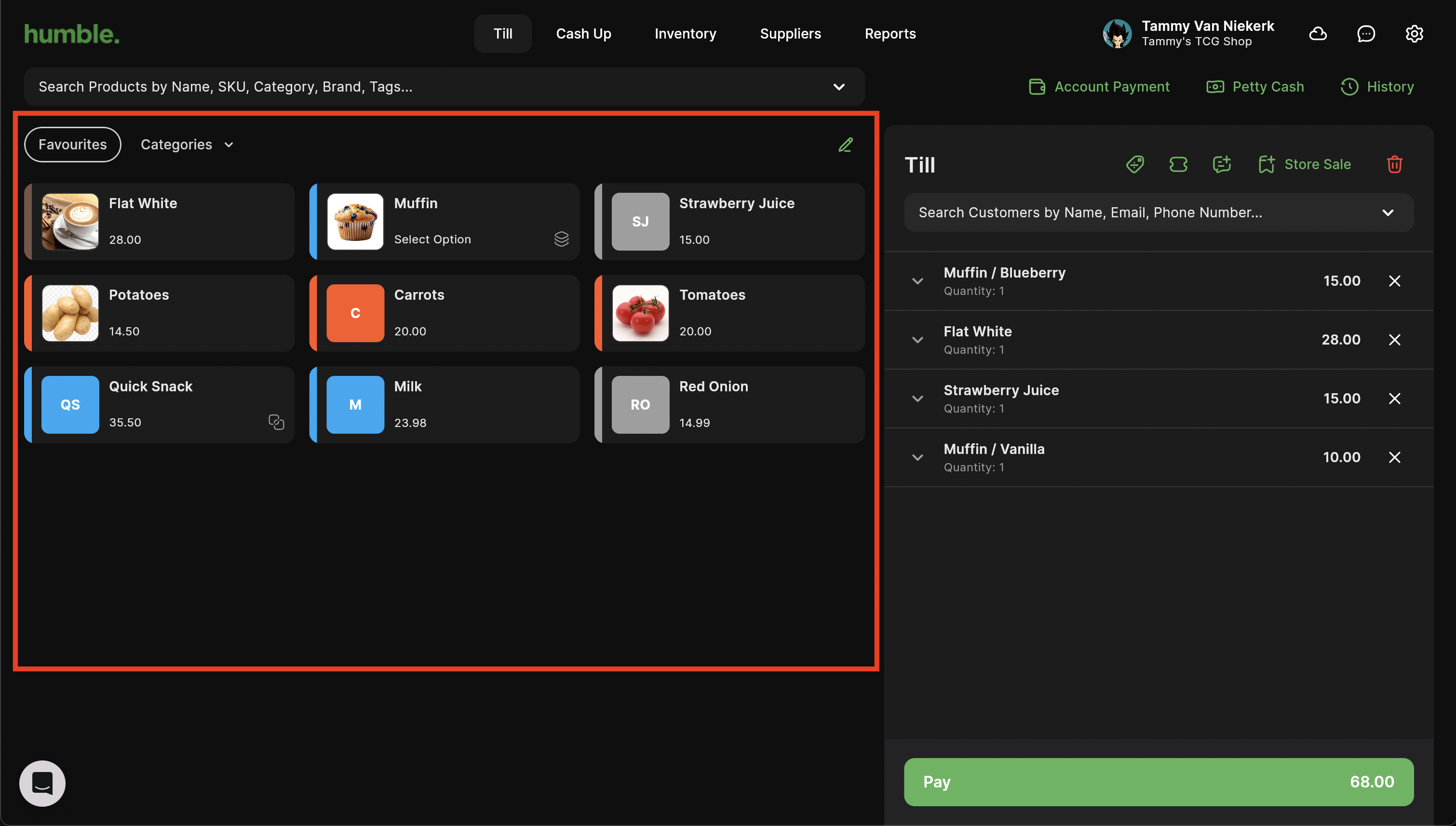
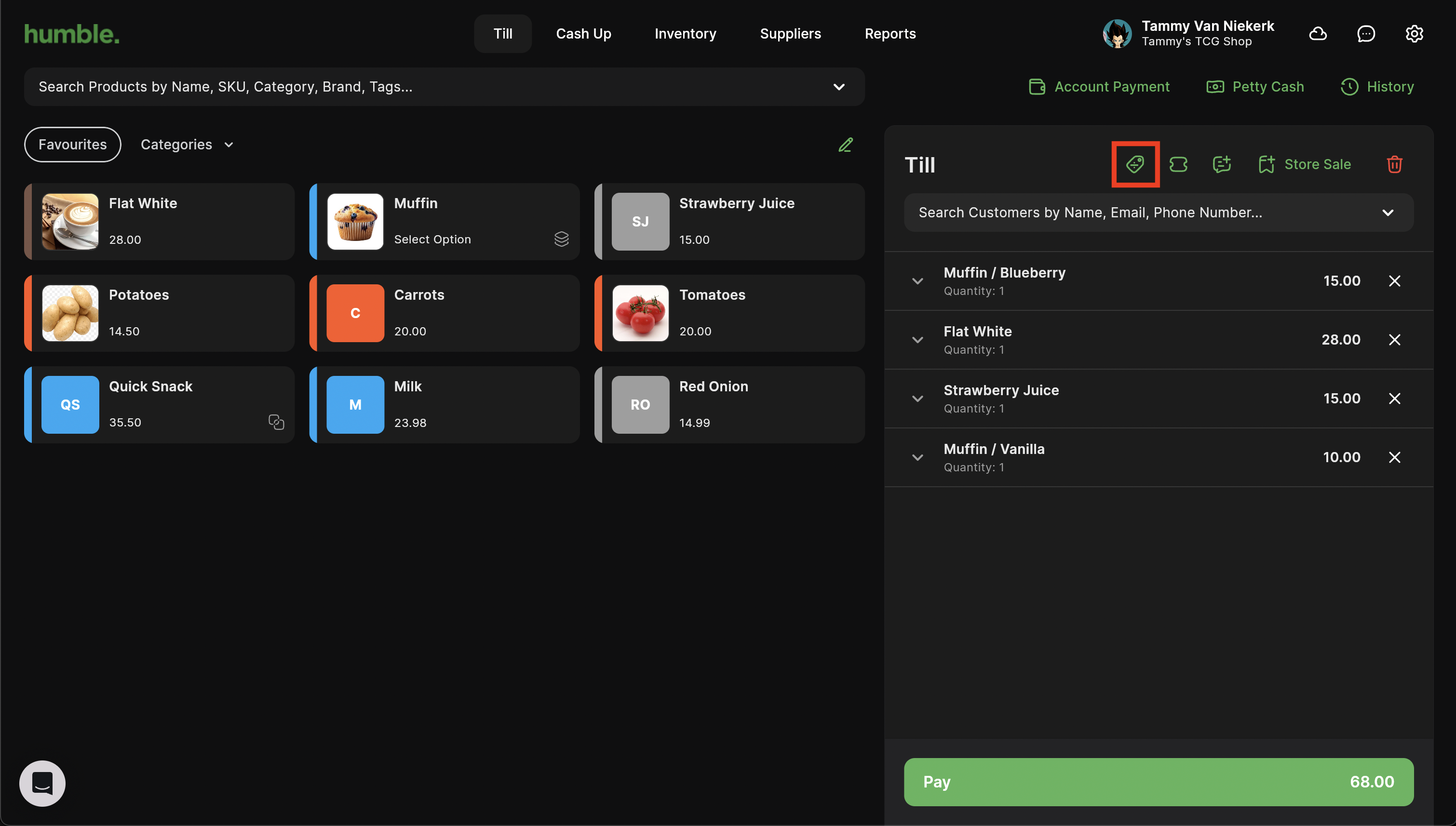
Once you have a product in your basket, you will be able to apply a discount. You can add your discount by clicking on the "%" button at the top of the basket.
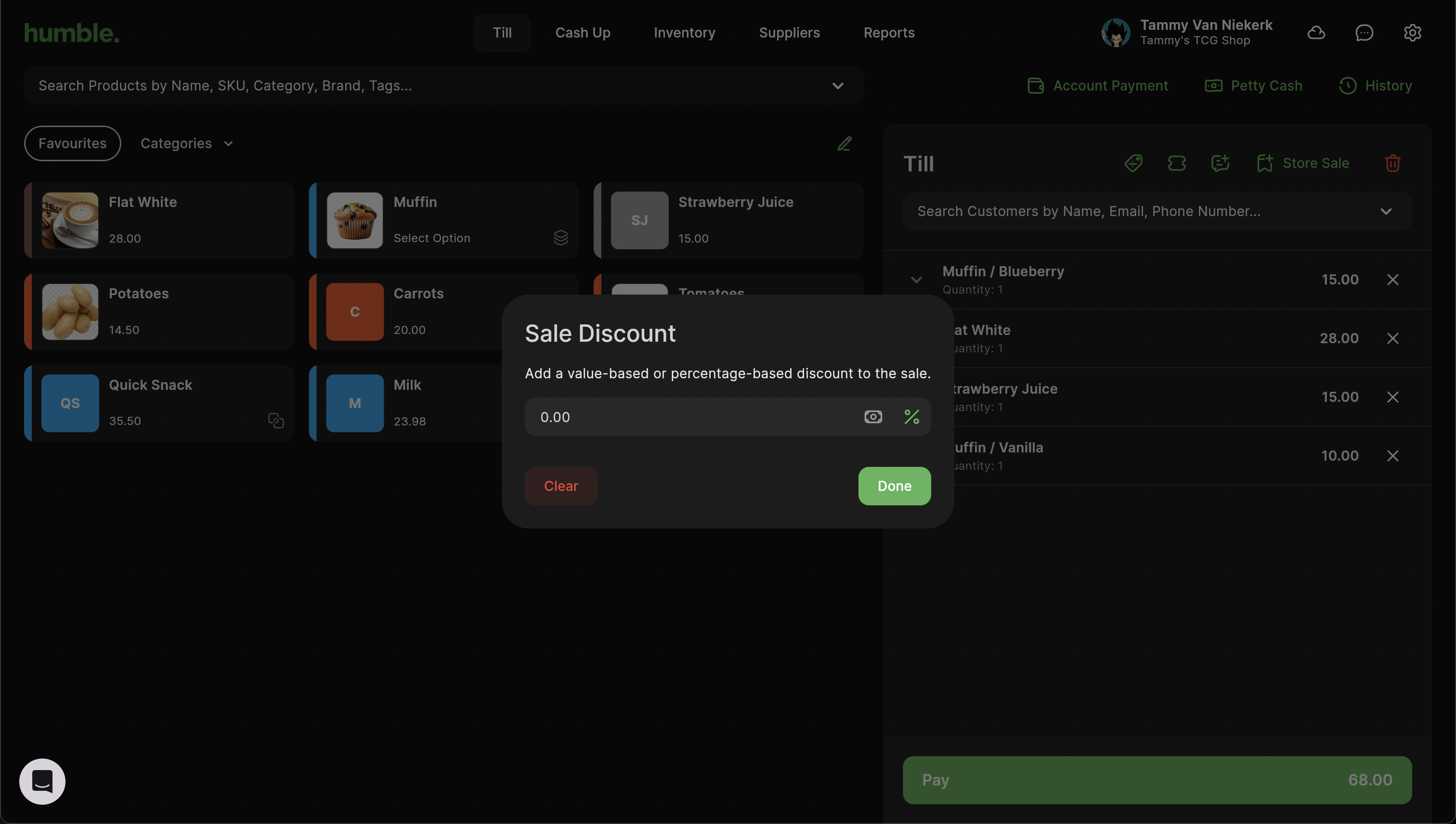
This will open up the Sale Discount modal. You can either give a value-based discount by clicking on the "100" or a percentage of the whole sale by clicking on the "%". Enter in the amount, press enter and then click Done to apply the discount.
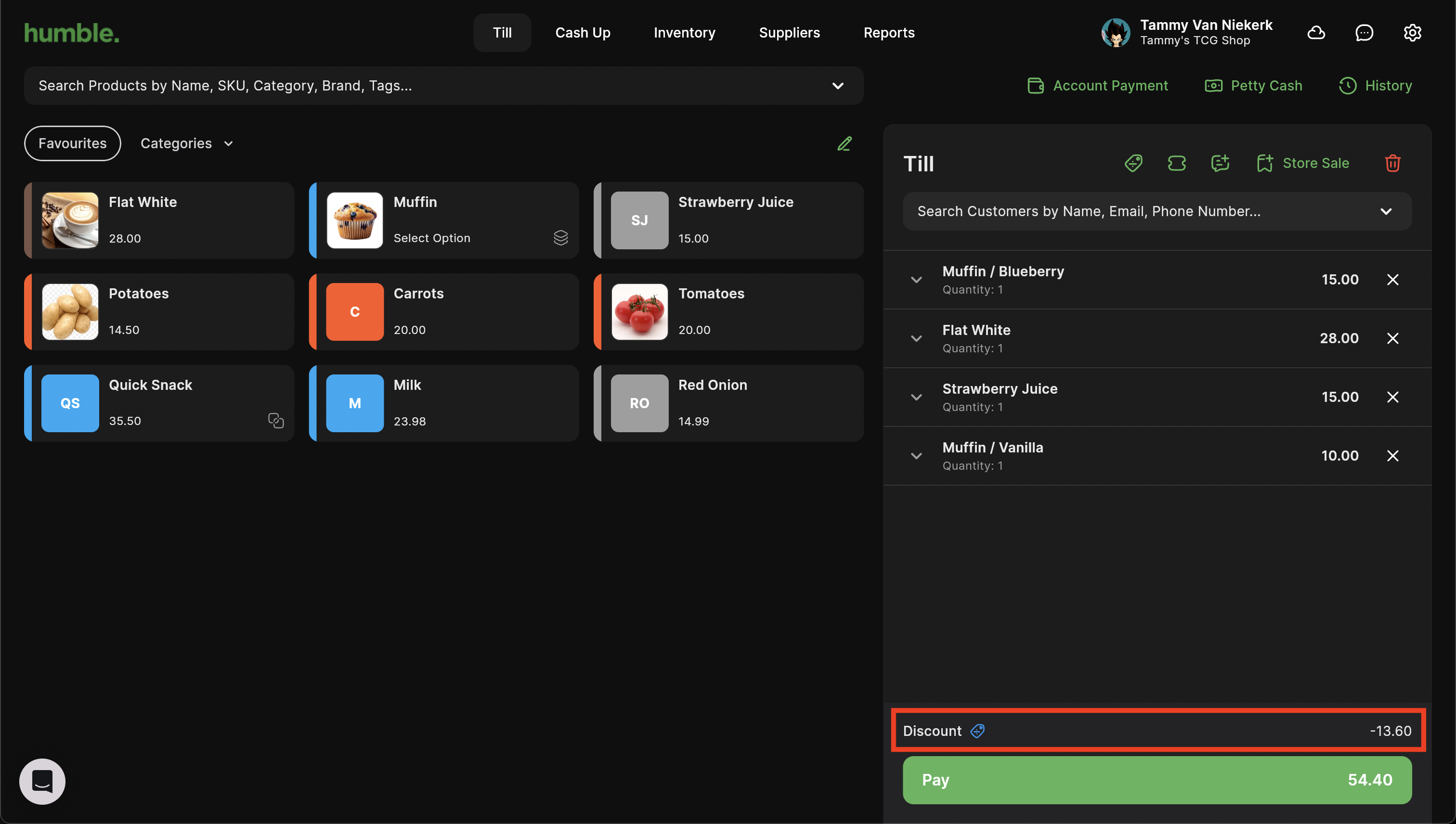
The discount will show at the bottom of the basket, above the "Pay" button.
Was this article helpful?
That’s Great!
Thank you for your feedback
Sorry! We couldn't be helpful
Thank you for your feedback
Feedback sent
We appreciate your effort and will try to fix the article