Humble has to ability to log a user out automatically after a sale is complete. Go to Settings > General and click on Sign Out After 5 Seconds On Payment Complete.
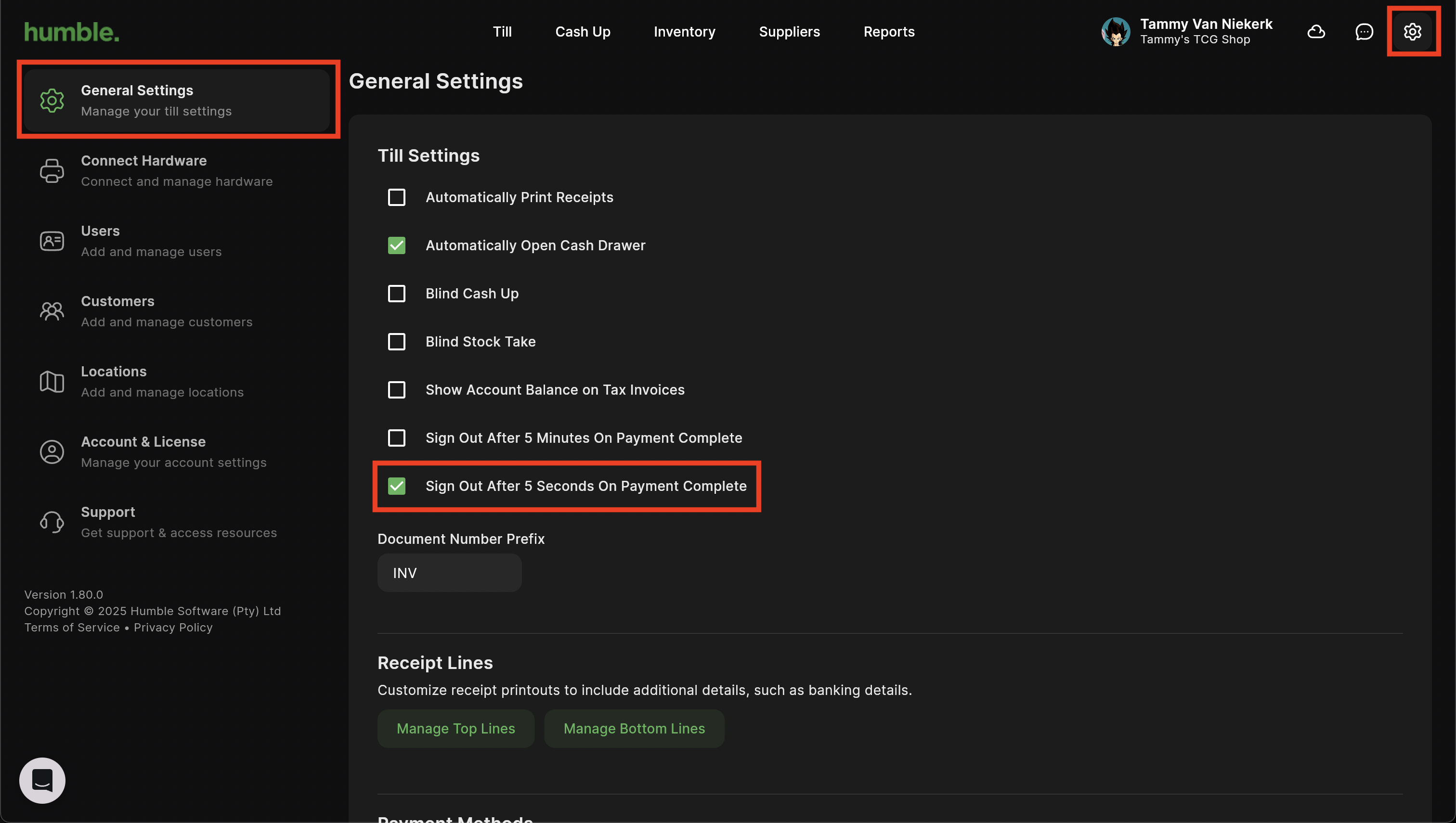
Note: Only one sign out option may be selected at a time.
After completing a sale, a timer will be visible on the top right hand side. It will count down from 5 seconds. Once the 5 Seconds is up, the user will be automatically logged out.
Note: Clicking Done will cancel the log out timer and the user will be able to continue with other sales etc.

Was this article helpful?
That’s Great!
Thank you for your feedback
Sorry! We couldn't be helpful
Thank you for your feedback
Feedback sent
We appreciate your effort and will try to fix the article