To add an ingredient to a product, make sure that you have selected Composite Product as the type of product.
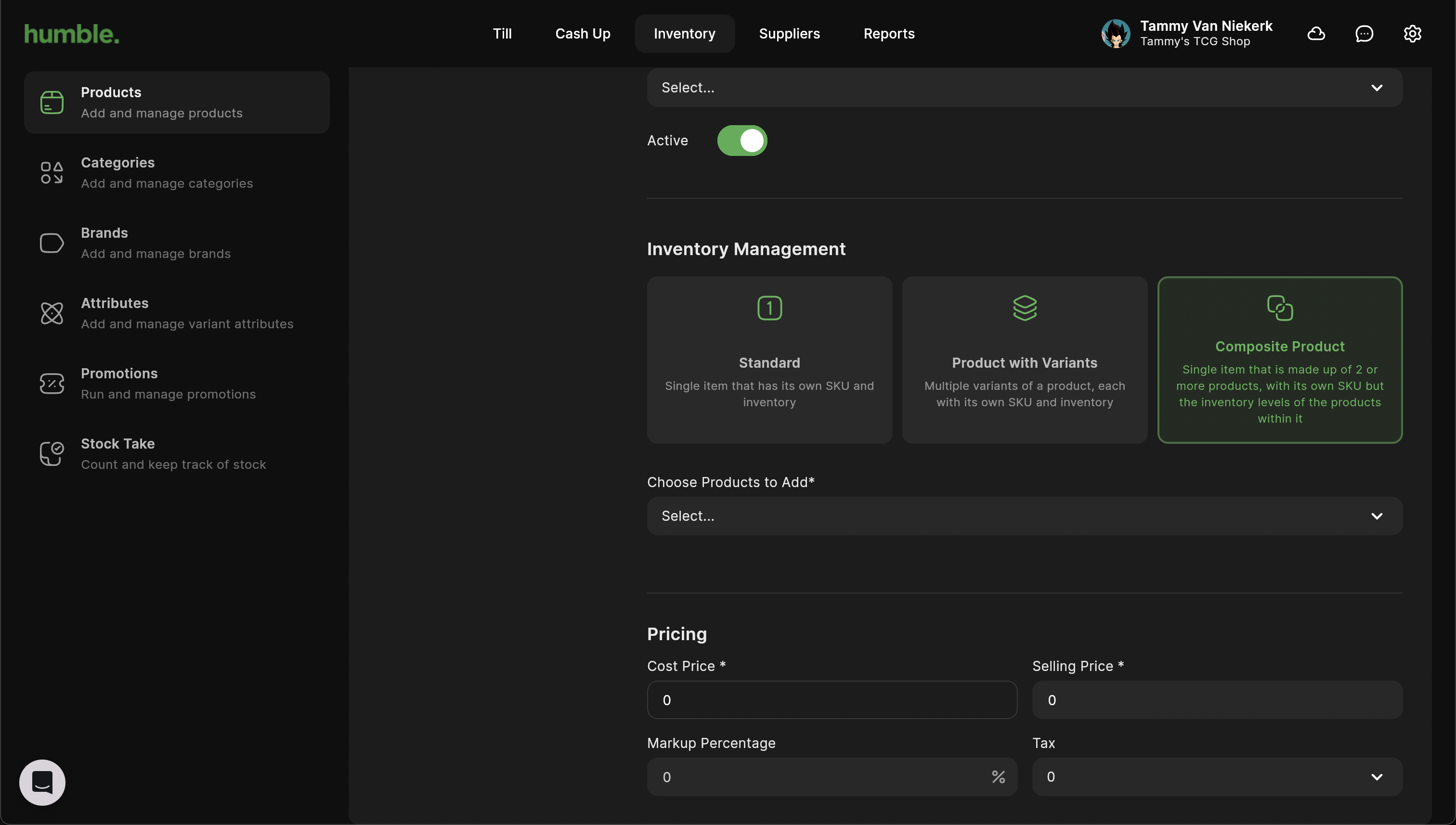
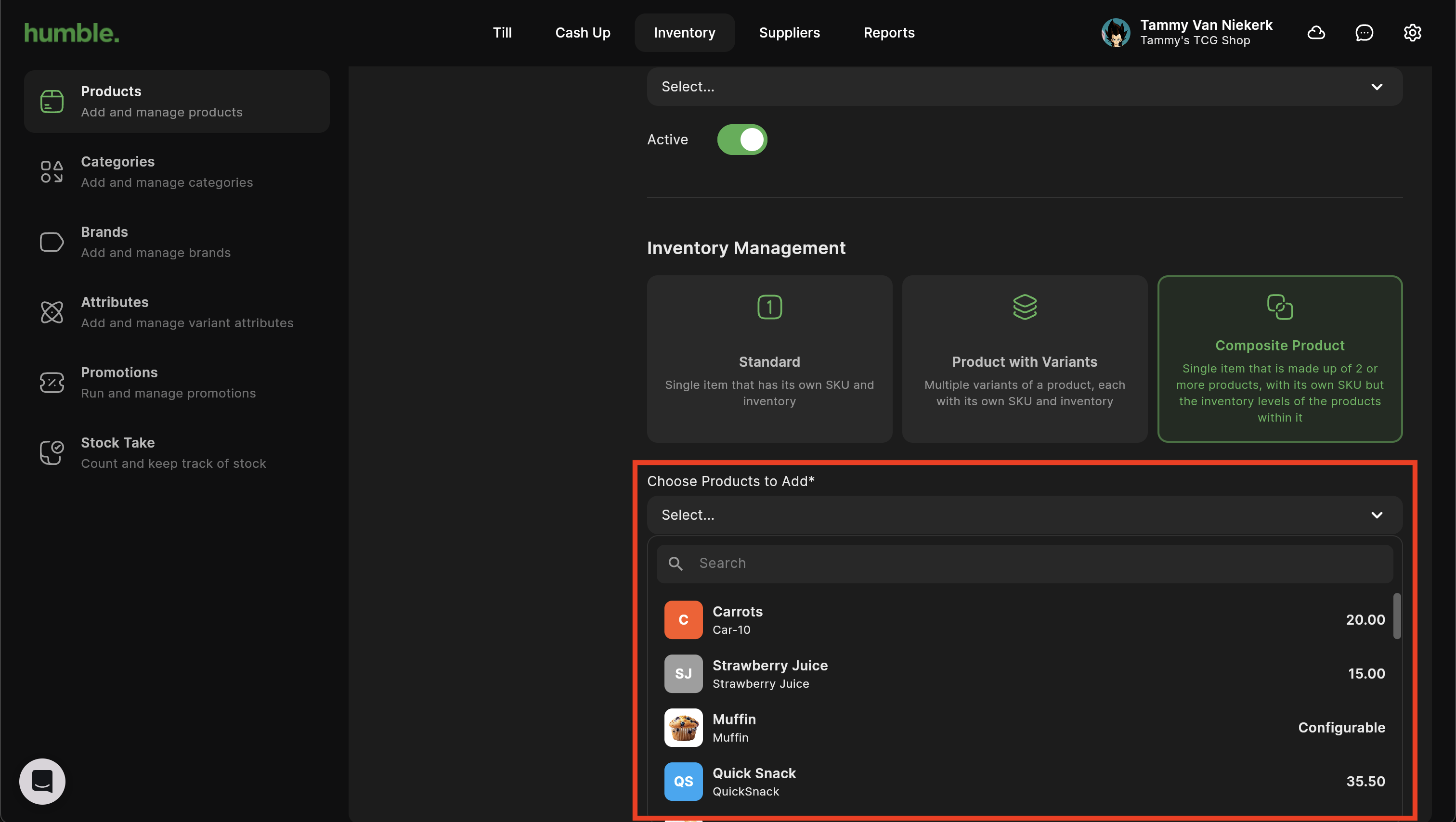
Underneath that you will be able to click on the drop down and select which product/s you would like to add as ingredients. These are known as Components.
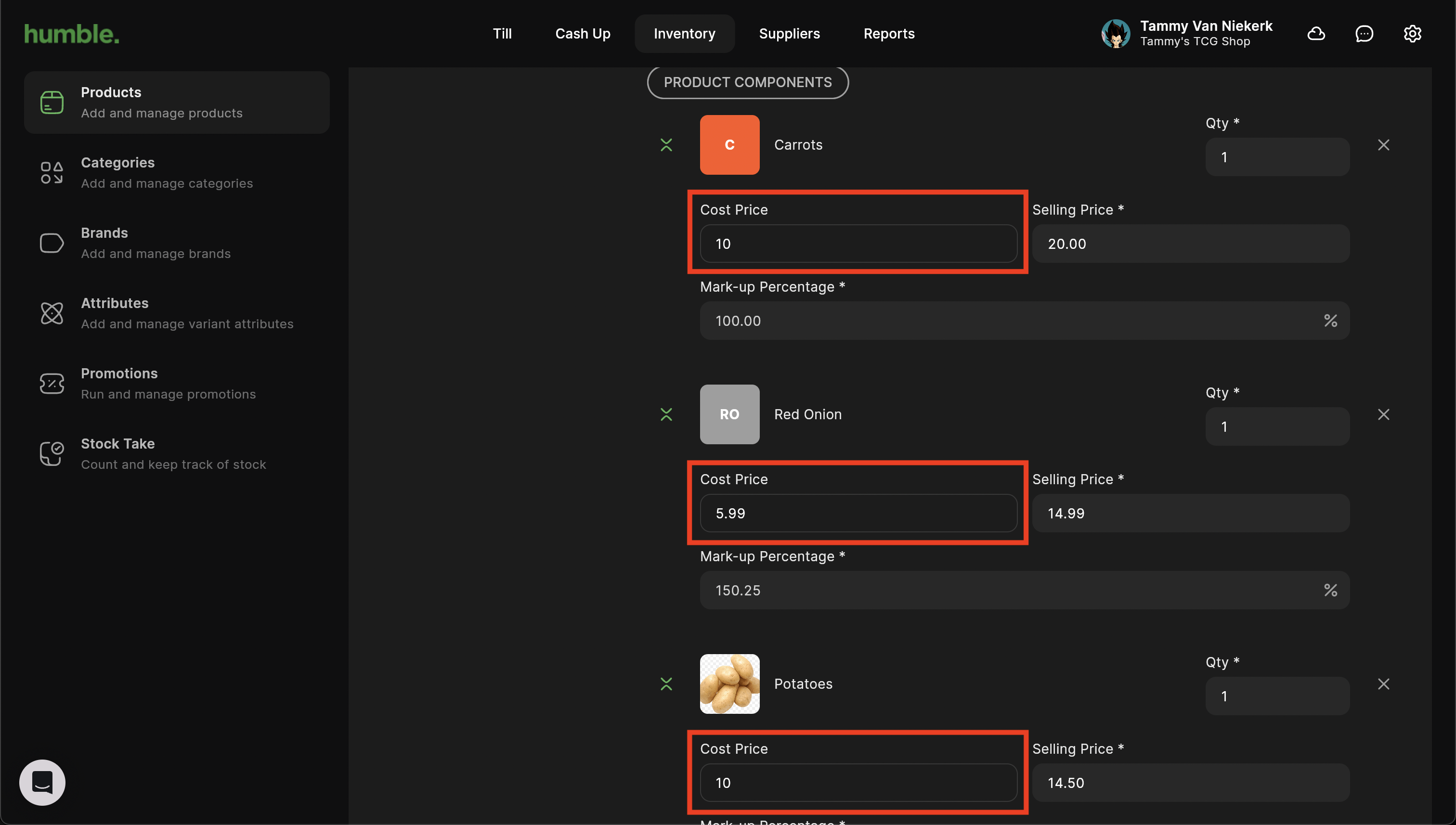
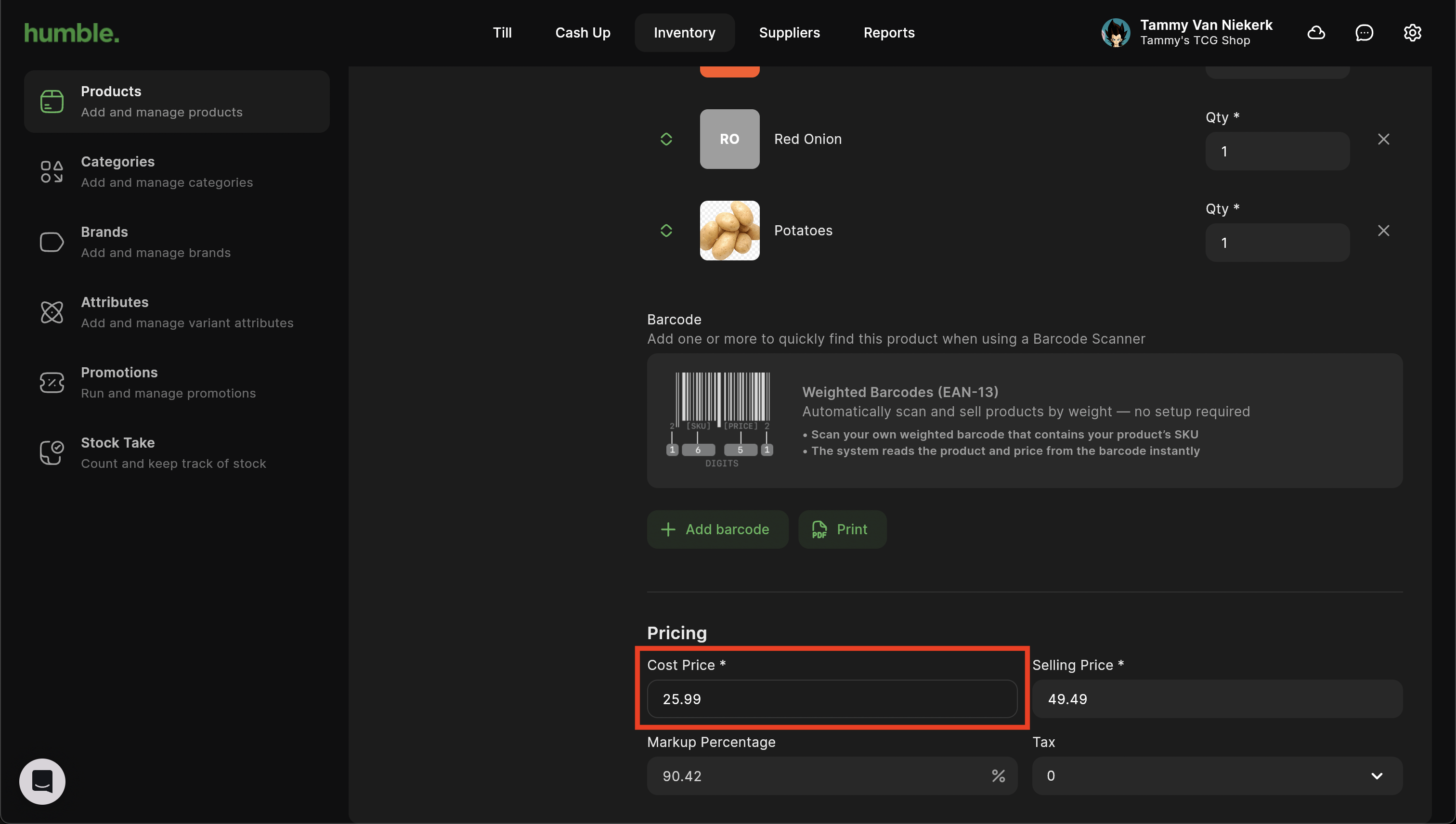
The cost price of your main product e.g. burger will be auto-calculated based off of the cost price of the component products used.
Was this article helpful?
That’s Great!
Thank you for your feedback
Sorry! We couldn't be helpful
Thank you for your feedback
Feedback sent
We appreciate your effort and will try to fix the article